
Withdraw DW88 Safely And Fast Via Bank, Touch’n Go
Withdraw DW88 allows users to withdraw funds from their accounts to a bank account, e-wallet, or other supported payment method. Simply select the correct receiving channel, enter the amount you want to withdraw, and review the information carefully before confirming the transaction. The process is straightforward and suitable for both new and existing DW88 users.
Requirements for requesting a withdrawal from DW88
Before requesting a withdraw DW88, users should check their account and payment information to make sure they meet the platform’s requirements. Certain conditions related to the account balance, receiving details, and account status may need to be completed before submitting a withdrawal request.
- Account in good standing: The account must be accessible and must not be locked or subject to transaction restrictions.
- Sufficient balance for withdrawal: The account balance must meet the minimum withdrawal amount displayed on the system.
- Accurate receiving information: The account holder’s name and bank or e-wallet details must be entered correctly before submitting the request.
- Complete verification when required: Some transactions may require personal information or document verification before they can be processed.
- No pending transactions: Check for any pending deposits, withdrawals, or related transactions before submitting a new withdrawal request.
How to link an e-wallet, bank account, or USDT before withdrawing
Before withdraw DW88, users need to add a suitable receiving method to their account. The system allows users to link a bank account, e-wallet, or USDT address for use when submitting a withdrawal request.
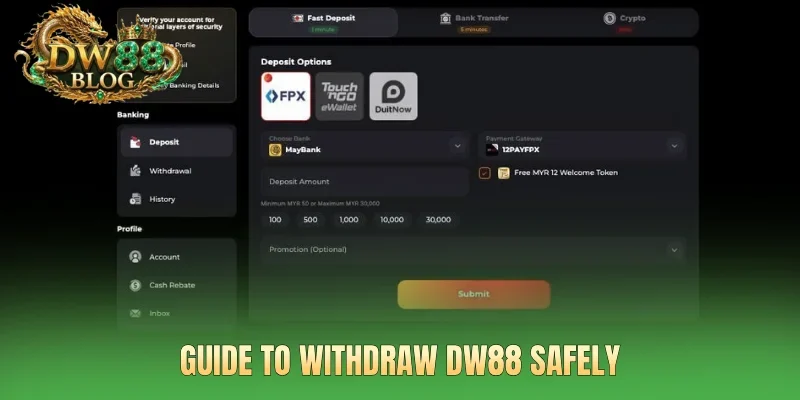
- Add a bank account: Select Add Bank Account, enter a Full Name that matches the name on the bank account, select the bank, and enter the Bank Account Number, then click Save.
- Link an e-wallet: Select Add E-Wallet, enter a Full Name that matches the registered information, select Touch N Go, enter the E-Wallet Number, then click Save.
- Add a USDT address: Select USDT_TRC20, enter the crypto wallet address where you want to receive the funds, and verify that the TRC20 network is correct before saving. The system displays the current exchange rate, for example, 1 USDT = MYR 4.0822, allowing users to verify the rate before the transaction.
- Check the information: Make sure the name, account number, wallet number, or crypto address has been entered correctly before using the payment method for withdraw DW88.
Withdraw DW88 guide
Users can submit a withdrawal request after linking a bank account, e-wallet, or USDT address to their DW88 account. Simply select the preferred receiving method, enter the amount you want to withdraw, and carefully review the information before submitting the request.
How to withdraw through a bank
The withdrawal process is completed directly from the Withdrawal section after a receiving bank account has been linked. Users only need to select a bank, enter an amount within the applicable limit, and submit the request for processing.
- Step 1: Go to Withdraw DW88 and select a linked bank account, such as RHB Bank, Maybank, Hong Leong Bank, CIMB Bank, or Public Bank.
- Step 2: Enter the Withdrawal Amount, with a minimum of 30 MYR and a maximum of 5 times the applicable amount or 50,000 MYR, then review the transaction details.
- Step 3: Select Check Eligibility & Details to verify the applicable requirements, then click Submit to send the withdrawal request. The standard processing time displayed is 5 minutes.
Step-by-step withdraw through a bank
The withdrawal process is completed directly from the Withdrawal section after a receiving bank account has been linked. Users only need to select a bank, enter an amount within the applicable limit, and submit the request for processing.
- Step 1: Go to Withdraw DW88 and select a linked bank account, such as RHB Bank, Maybank, Hong Leong Bank, CIMB Bank, or Public Bank.
- Step 2: Enter the Withdrawal Amount, with a minimum of 30 MYR and a maximum of 5 times the applicable amount or 50,000 MYR, then review the transaction details.
- Step 3: Select Check Eligibility & Details to verify the applicable requirements, then click Submit to send the withdrawal request. The standard processing time displayed is 5 minutes.
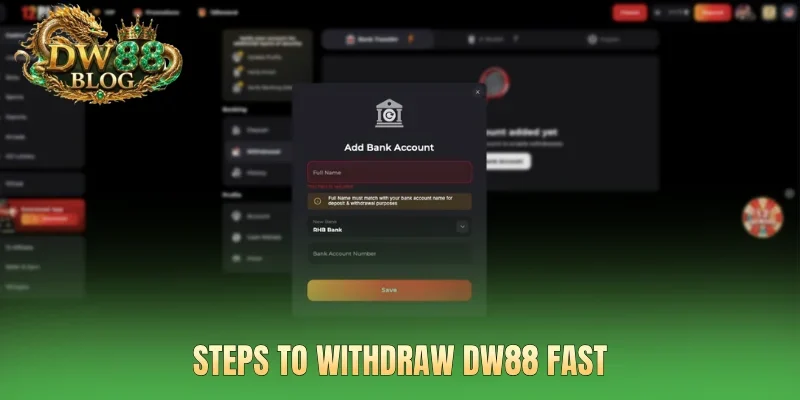
Withdraw DW88 via Touch N Go
With Touch N Go, users can withdraw funds directly to the e-wallet linked to their DW88 account. Simply check the Wallet Number, enter the desired withdrawal amount, and confirm the request by following the steps below.
- Step 1: Go to the Withdrawal section, select Touch N Go, and check the Wallet Number linked to the account.
- Step 2: Enter the Withdrawal Amount, with a minimum of 30 MYR and a maximum of 5 times the applicable amount or 50,000 MYR, then review the information carefully.
- Step 3: Select Check Eligibility & Details to verify the withdrawal requirements, then click Submit to send the request. The standard processing time displayed is 5 minutes.
See more: Download App DW88 On iOS, Android For A Better Experience
Important notes when withdrawing from DW88
Before submitting a withdraw DW88 request, users should carefully check the receiving method and the information linked to their account.
Review the receiving account information
Before making a transaction, check the account holder’s name and the linked bank account number or wallet number. For bank withdrawals, the recipient’s name should match the account information required by the system. If withdrawing through Touch N Go, make sure the Wallet Number has been entered correctly.
Check the withdrawal limit and amount
The requested withdrawal amount must fall within the limits displayed in the Withdrawal section. The currently displayed minimum withdrawal amount is 30 MYR, while the maximum limit may depend on the applicable transaction conditions or be 50,000 MYR. Users should check Check Eligibility & Details before submitting the request.
Monitor the transaction status after submitting
After clicking Submit, users should monitor the request status instead of submitting another transaction. The standard processing time displayed by the system is approximately 5 minutes. If the transaction has not been completed, check the withdrawal history and the selected receiving method again.
Conclusion
Withdraw DW88 allows users to withdraw funds through bank accounts, Touch N Go, and USDT after linking a suitable receiving method. The process involves selecting a withdrawal channel, entering the amount, checking the applicable requirements, and confirming the request. Users should carefully verify the receiving account information, withdrawal limits, and wallet address before submitting the transaction.